


By enabling ModSecurity in your cPanel, You are taking a proactive step towards enhancing the security of your website.
In simple words, ModSecurity is a powerful web application firewall that helps in the website’s protection from various kinds of online threats and attacks.
As we all know, there is a major rise in cybersecurity threats, and websites are frequently targeted by malicious actors seeking to exploit vulnerabilities. In that case, ModSecurity plays a major role by serving as a robust web application firewall that acts as a strong wall between your website and potential threats.
In this article, we will discuss the step-by-step process to enable ModSecurity in your cPanel for enhanced security on your website.
Steps to Enable ModSecurity in cPanel
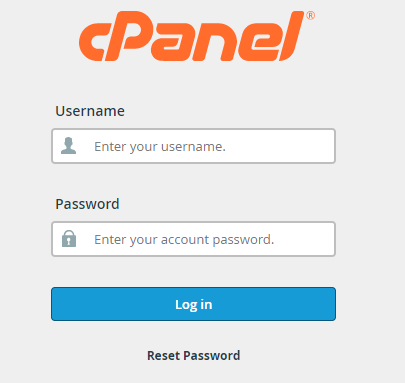
➔ Firstly, log in to cPanel with your username & password.
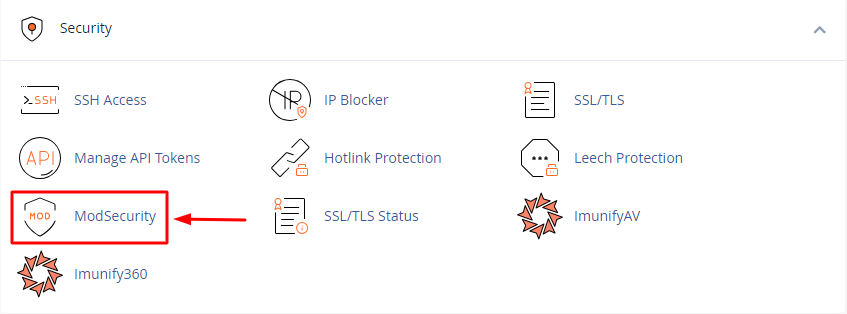
➔ Once you log in, Locate the ‘Security’ section in the cPanel.

➔ In that section, you will find the ‘ModSecurity’. Just click on it.
➔ After clicking it, You will reach the ModSecurity Interface, where you will see the listed domains associated with your particular cPanel account.
➔ In that interface, you will see a toggle switch ‘On’ & ‘OFF.’ To enable ModSecurity, Just toggle switch to turn it on.

By this, Your ModSecurity gets enabled in your cPanel account!
Conclusion
Following the steps outlined in this article, you can protect your website from a wide range of web-based attacks. However, it’s important to monitor your ModSecurity logs and keep your rules fully updated to maintain a higher level of security
